
 All Courses
 Upcoming Course Dates
 Professional Courses
 Academy & Short Courses
 IPM Courses
 PMI Courses
 IPMA Courses
 Prince2 Courses
 Corporate Training
 Corporate Partnership
 University Partnership
 Strategic Partnership
 IPM Competency Pathway
 Growth Partner
 IPMA Certification
 PMI Certification
 IPM CPM Level 1
 IPM CPM Level 2
 IPM CPM Level 3
 IPM-AI
 IPM-Sustainable
 IPM-SCRUM
 IPM-PMO
 IPM-AGILE
 IPM-ASSOCIATE
 About IPM Hub
 IPM Membership
 EMEA Monthly Events
 Mentorship Programme
 IPM Jobs Portal
 All Insights & Resources
 Expert Insights
 Ebooks, Templates, and Toolkits
 Publish Your Work
 Who We Are
 Faculty of Excellence
 Global Advisory Board
 Become a Lecturer or Volunteer
 Become an Intern or Student Partner
 Speak to an Advisor


hamburger__close

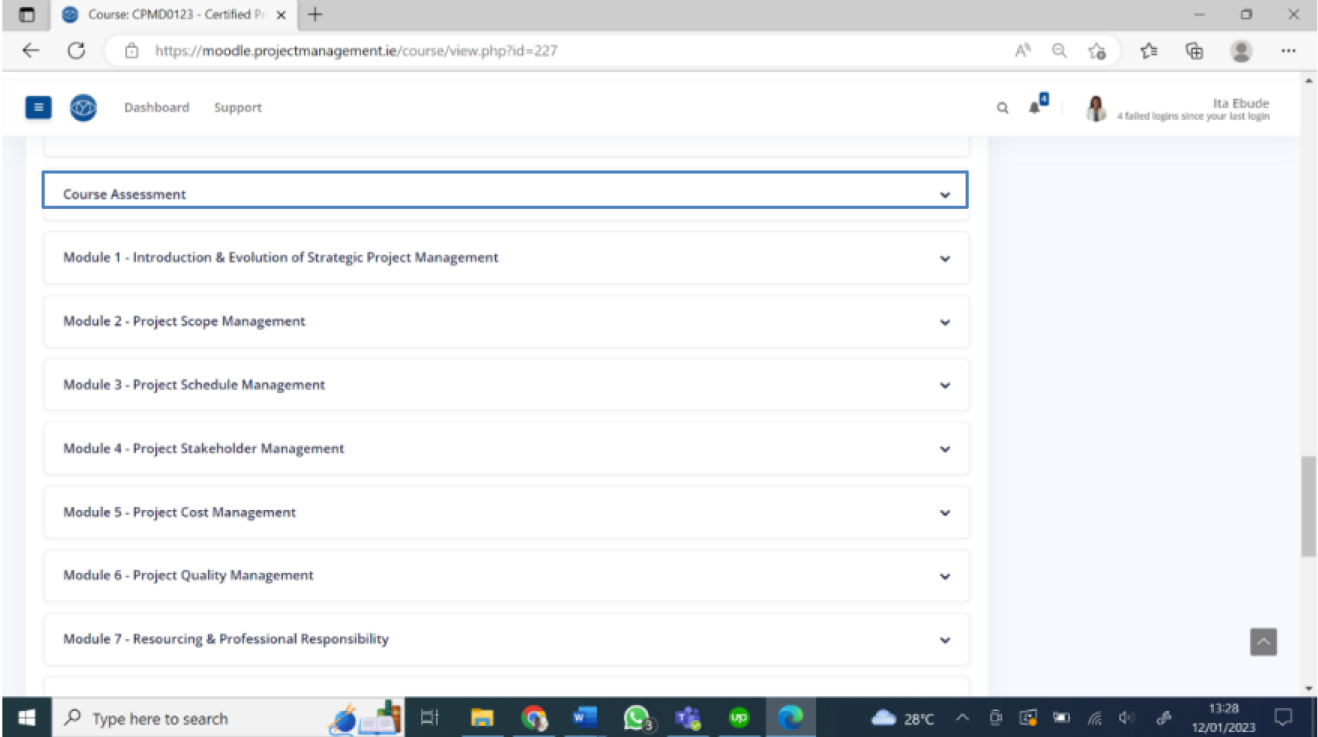
Login to Moodle and access the course page through your dashboard. Click on Course assessment.
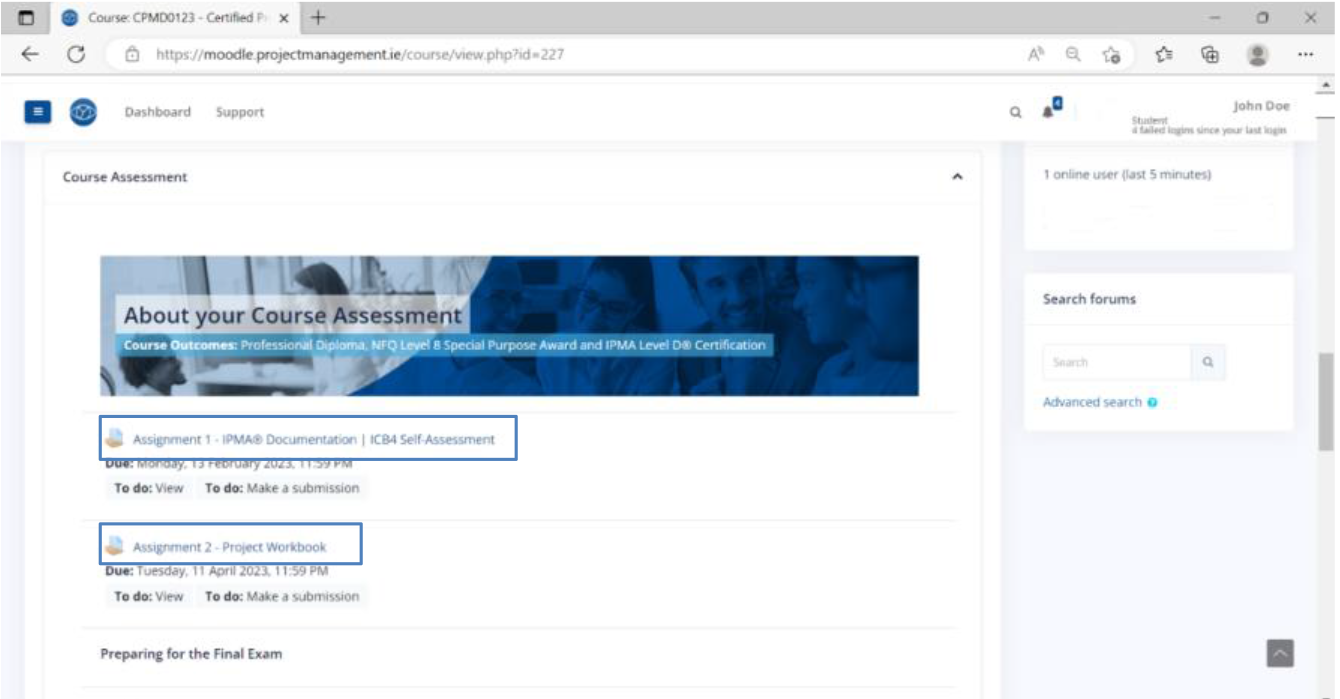
Then, click on the assignment you wish to submit.
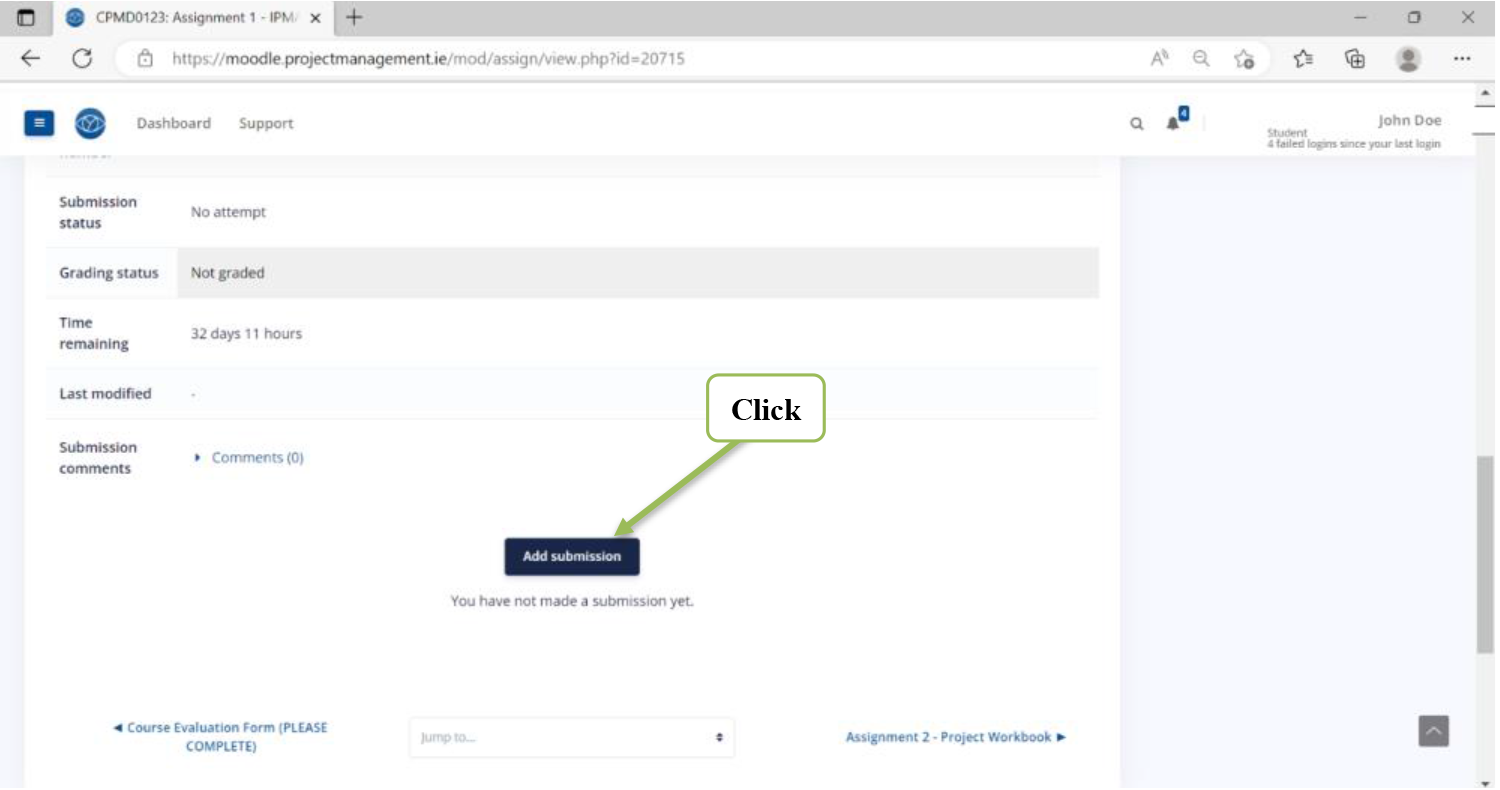
Scroll down to the very end of the assignment instructions until you find the Submission Status area Click on the blue button ‘Add submission’
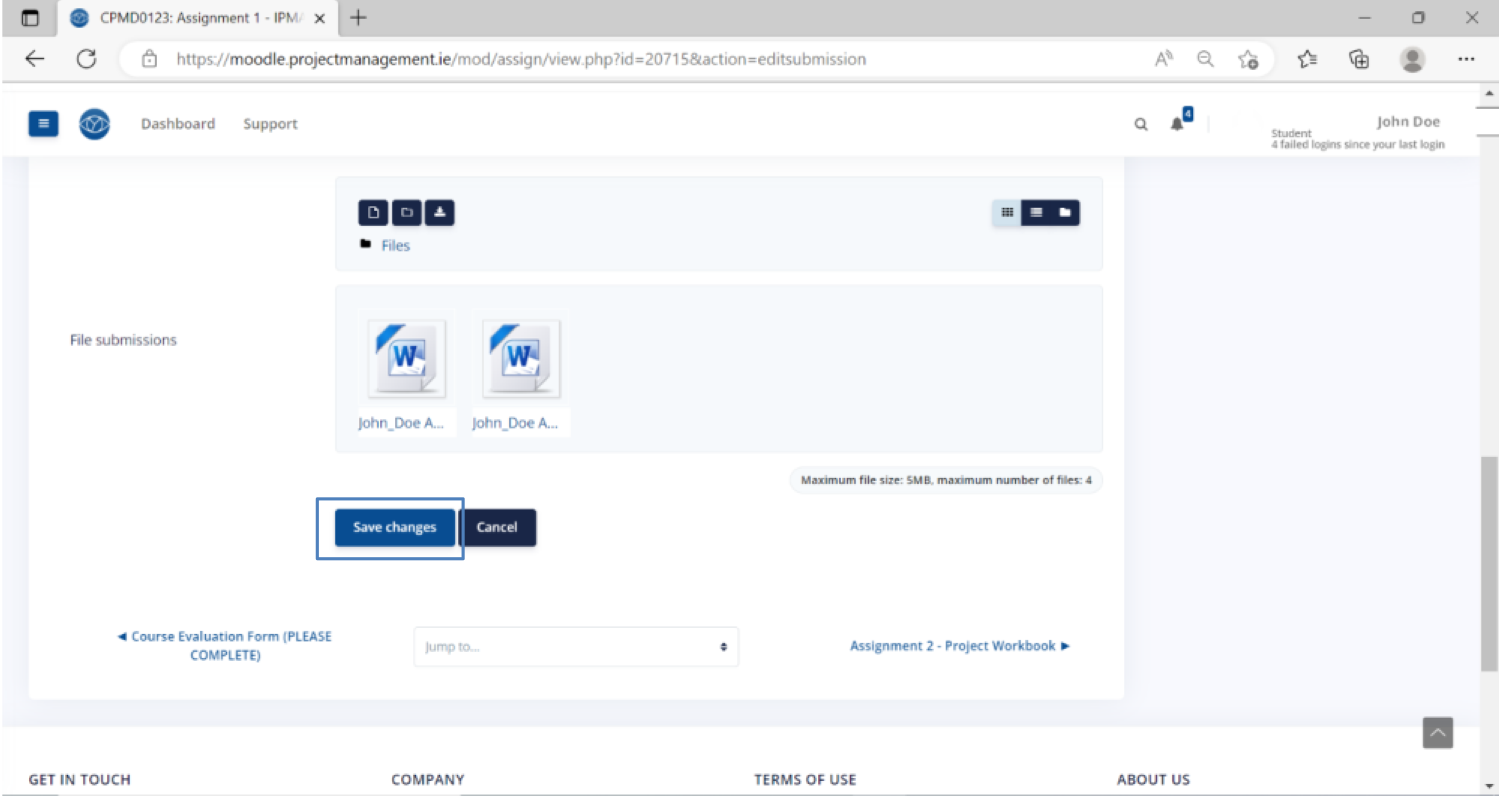
Scroll down to find the file submission box. Drag and drop files from your computer to the submission box OR Click on the Upload file icon.
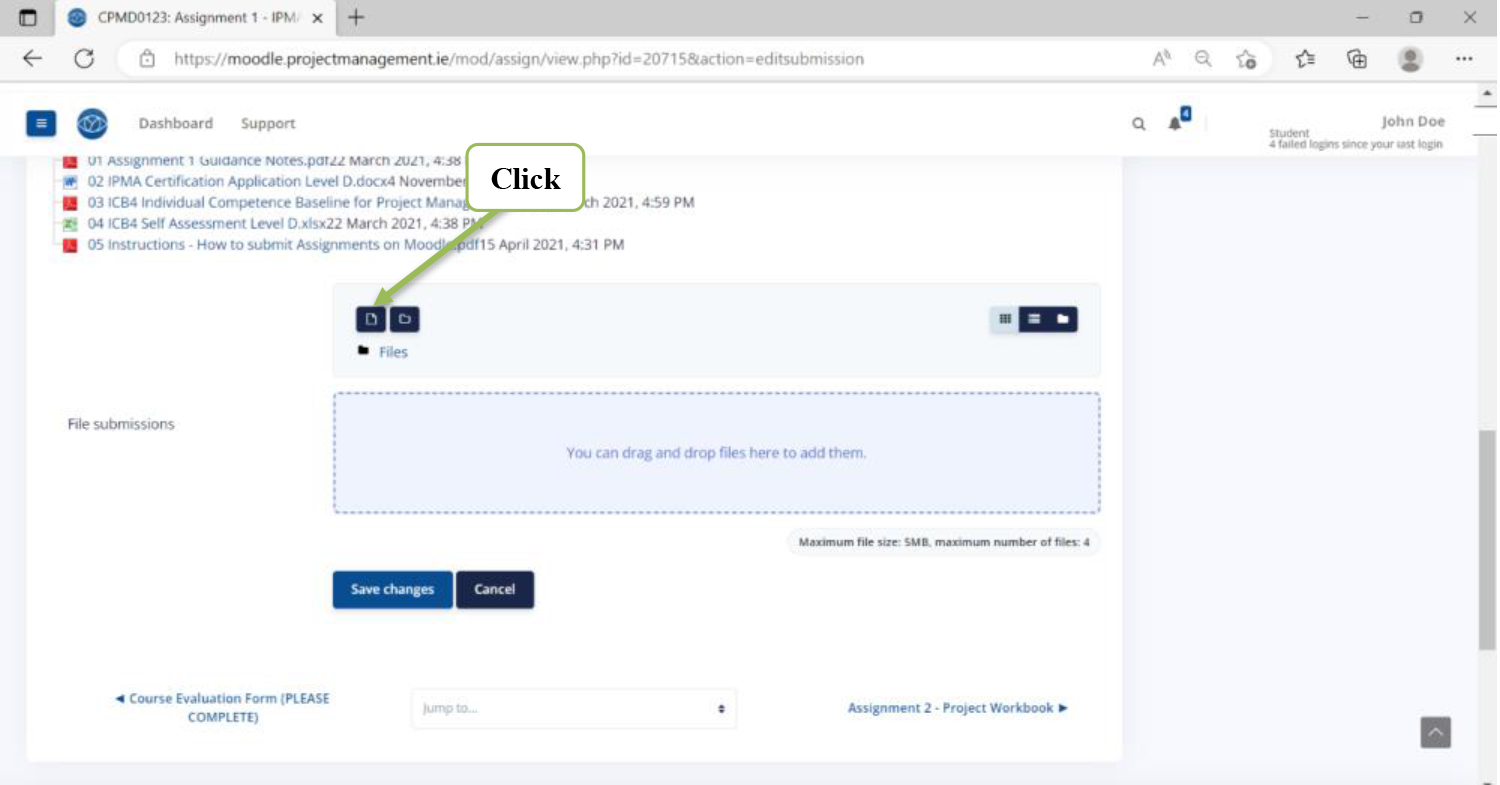
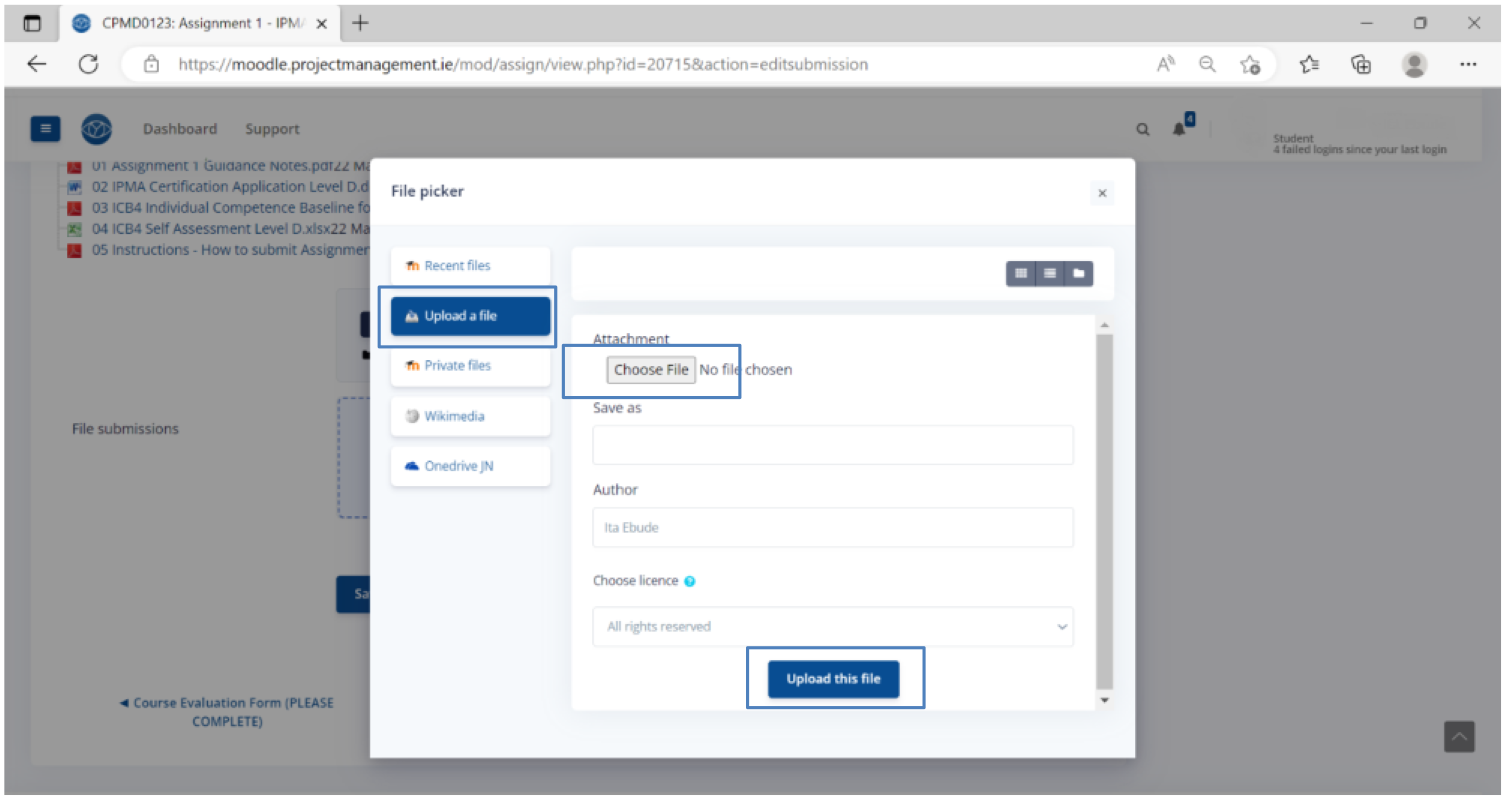
On the file picker pop-up window, select the option Upload a file, and then Choose file from your computer. Finally, click on the blue button ‘Upload this file’.
Make sure you add all files to the file submission box, then click on the blue button ‘Save Changes’